Best Browser History Extensions for Chrome, Firefox & Edge (2026)
Updated February 2026
The best browser history extensions in 2026 fall into three categories: history managers for organizing and cleaning up browsing data, history search tools for finding pages by content or meaning, and analytics tools for tracking browsing patterns over time. The right choice depends on which problem you are actually trying to solve.
If you have ever spent ten minutes scrolling through chrome://history looking for an article you read last Tuesday, you already know the default history experience is not built for recall. It searches titles and URLs. That is it. The moment you forget the exact page name, you are stuck.
This guide compares the top browser history extensions across Chrome, Firefox, and Edge, including BetterHistory, History Trends Unlimited, History Search Manager, Memex, and TraceMind, so you can pick the right tool for your browser and workflow.
Quick answer: the best browser history extension by use case
Best for finding pages by meaning: TraceMind. On-device semantic search, full-text indexing, screenshots, 100% local storage.
Best history manager for Chrome: BetterHistory. Bulk delete, export, filters, and a cleaner history UI.
Best for unlimited retention and analytics: History Trends Unlimited. Local database, charts, stats, and domain tracking.
Best for Firefox: History Search Manager. Improved search within Firefox's native history.
For a deeper look at why content search matters more than title search, see: Full-Text vs Title Search in Browser History
Comparison table: top browser history extensions (2026)
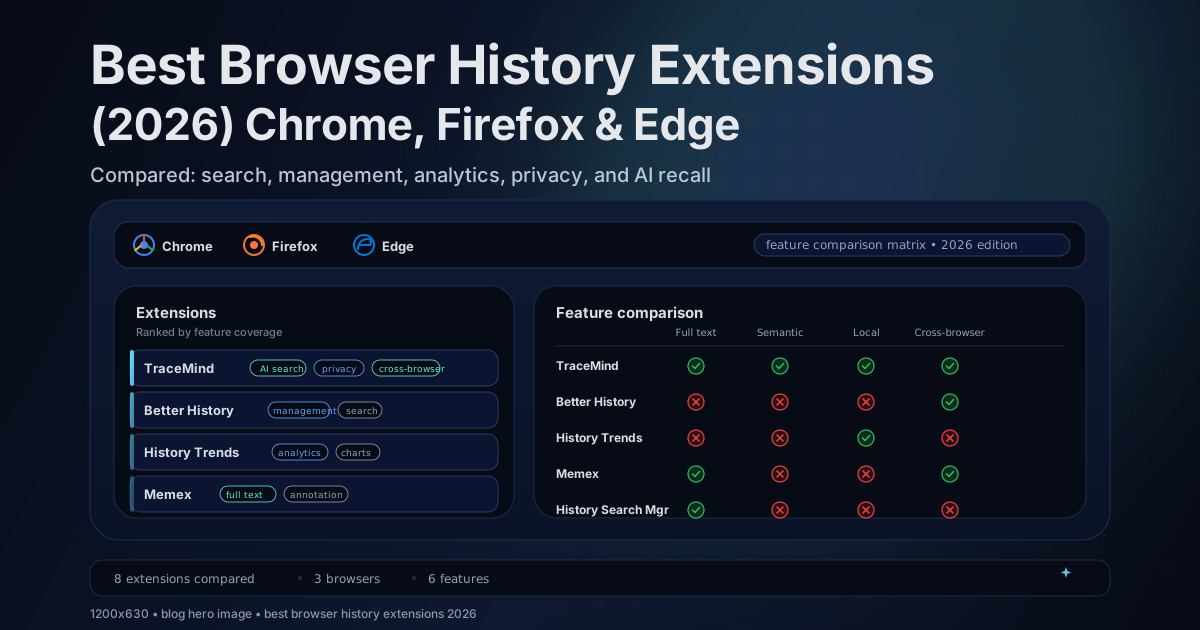
| Extension | Type | Chrome | Firefox | Edge | Full text | Semantic | Storage |
|---|---|---|---|---|---|---|---|
| TraceMind | AI search | ✅ | 🔜 | ✅ | ✅ | ✅ | Local only |
| History Trends Unlimited | Analytics | ✅ | ❌ | ✅ | ⚠️ keyword | ❌ | Local DB |
| BetterHistory | Manager | ✅ | ❌ | ✅ | ⚠️ keyword | ❌ | Built-in |
| History Search Manager | Search | ❌ | ✅ | ❌ | ⚠️ keyword | ❌ | Built-in |
| Memex | Research | ✅ | ✅ | ✅ | ✅ saved | ⚠️ | Varies |
| Retrospective History | Full text | ✅ | ❌ | ✅ | ✅ | ❌ | Local |
| Full Text Tabs Forever | Full text | ✅ | ❌ | ✅ | ✅ | ❌ | Local |
| History Plus | Retention | ✅ | ❌ | ✅ | ⚠️ keyword | ❌ | Local |
✅ = supported | ⚠️ = partial | 🔜 = planned | ❌ = not available
Edge runs Chromium, so most Chrome extensions install directly from the Chrome Web Store. Firefox requires dedicated add-ons from addons.mozilla.org.
What to look for in a browser history extension
Before installing anything, it helps to know what separates a good history extension from a basic one.
History management vs history search
A history manager like BetterHistory focuses on organizing what you have: filtering by date, bulk deleting domains, exporting to CSV, and generally making the built-in history more usable.
A history search extension focuses on finding what you lost. The most basic ones improve keyword search across titles and URLs. The more advanced ones, like TraceMind, index the full text of every page you visit and let you search by meaning, not just exact words.
Most people need one or the other. Some need both.
Where does your data go
Browser history is one of the most personal datasets you generate. Some extensions keep everything local. Others sync to cloud servers. A few are unclear about it.
If privacy matters to you, look for extensions that store data on-device, work offline, and have a transparent privacy policy. For more context on this: Privacy-First Extensions: On-Device vs Cloud
Does it support your browser
Chrome has the most history extensions by far. Edge gets most of them for free because it shares the Chromium engine. Firefox has a smaller but focused set of add-ons. If you use multiple browsers, cross-browser support or Chromium compatibility is worth checking.
Best AI-powered history search: TraceMind
TraceMind is designed for the core recall problem: you remember what a page was about, but not its title or URL.
It indexes the full text of every page you visit, runs semantic search locally using on-device AI, and optionally captures screenshots for visual recall. No data leaves your device. It works on Chrome, Edge, Brave, Arc, Vivaldi, and any Chromium-based browser, with Firefox support planned for v3.
Best for
Finding pages by meaning, topic, or partial memory instead of exact keywords. Researchers, developers, and heavy readers who visit hundreds of pages per week and need to find specific content later.
Not ideal if
You mainly want history analytics, charts, and domain-level statistics. History Trends Unlimited is better for that.
How it compares to Chrome's built-in AI history search
Chrome has started testing AI-powered history search, but it requires Google account sign-in, processes data in the cloud, and only works in Chrome. TraceMind runs entirely on your device, works across all Chromium browsers, supports full-text page content search, and gives you screenshots and export options that Chrome's built-in feature does not offer.
For a deeper comparison: TraceMind vs Chrome History
Best history manager for Chrome: BetterHistory
BetterHistory is a Chrome extension that replaces the built-in history page with a more powerful interface. It focuses on history management: better search, date filters, bulk delete, and export to CSV or HTML.
If your main frustration is that Chrome's default history page is hard to navigate and you want to clean up, organize, or back up your browsing data, BetterHistory is built for exactly that.
Best for
Bulk deleting history by domain or date range. Exporting history for external analysis or archiving. A cleaner, more filterable interface than chrome://history.
Not ideal if
You need to search within page content. BetterHistory searches titles and URLs, not the text inside pages. If your problem is recall rather than management, a search tool like TraceMind or Retrospective History is a better fit.
Best for unlimited retention and analytics: History Trends Unlimited
History Trends Unlimited is a Chrome extension that stores your browsing history into its own local database, removing the default time-based limitations. It provides charts, domain statistics, time-of-day browsing patterns, and CSV export.
This is the go-to extension for people who want to keep their history forever and analyze their browsing patterns over weeks, months, or years.
Best for
Keeping browsing history beyond Chrome's default retention window. Domain-level analytics and time-based charts. Exporting raw history data for your own analysis.
Not ideal if
You want to search by content or meaning. History Trends Unlimited searches by keyword across titles and URLs. It does not index page content, capture screenshots, or support semantic search.
Best for Firefox: History Search Manager
Firefox has fewer dedicated history extensions than Chrome, but History Search Manager fills an important gap. It provides improved search within Firefox's native browsing history, with better filtering by date range, domain, and visit frequency.
For Firefox users who find the default history search too limited but do not want to switch browsers, this is the most straightforward upgrade.
Best for
Firefox users who want a better history search interface without switching browsers. Filtering history by specific date ranges and domains.
Not ideal if
You need full-text page content search or AI-powered recall. Firefox currently lacks extensions that index page body text the way several Chrome extensions do.
Other Firefox history add-ons worth mentioning
Tab Session Manager saves and restores browsing sessions, which is useful for recovering groups of tabs rather than individual pages. Search Preview adds thumbnails to Firefox search results, which helps with visual recognition when searching your history.
Best for research workflows: Memex
Memex is a cross-browser extension available for Chrome, Firefox, and Edge that combines full-text search over saved pages with highlights, annotations, and organizational spaces.
Unlike dedicated history tools, Memex is built for knowledge workers who want to save, annotate, and organize web research. It indexes the content of pages you explicitly save and lets you search across them.
Best for
Research-heavy workflows with highlighting, annotation, and organization. Cross-browser support including Firefox.
Not ideal if
You want passive, automatic history indexing of every page you visit. Memex works best when you actively save content into it.
Best for full-text keyword search: Retrospective History and Full Text Tabs Forever
These Chrome extensions index the body text of pages you visit, letting you search for phrases you remember even if the page title is unrelated.
Retrospective History takes a straightforward approach: it builds a local full-text index and provides a search interface. Full Text Tabs Forever works similarly, with a focus on permanent searchability.
The main limitation of both is that they require exact keyword matches. If you remember the topic but not the words, semantic search handles that better. For more on this distinction: Semantic vs Keyword Search in Browser History
Best for retention and backups: History Plus
If your biggest frustration is that Chrome silently drops history after a few months, History Plus stores browsing history in its own local database with import, export, and backup features.
It is a simple tool focused on one problem: making sure you do not lose history over time.
How Edge fits into this
Microsoft Edge runs on Chromium, which means most Chrome extensions work on Edge without modification. You can install extensions from both the Chrome Web Store and the Microsoft Edge Add-ons store.
BetterHistory, History Trends Unlimited, TraceMind, Retrospective History, and Full Text Tabs Forever all work on Edge through Chrome Web Store installation. Edge also has some native features like Collections and its own browsing history that can complement extensions.
Quick decision guide
You want to find pages by meaning or content → TraceMind Private on-device semantic search, full-text indexing, screenshots, works on all Chromium browsers.
You want unlimited history retention and analytics → History Trends Unlimited Local database, browsing charts, domain statistics, and CSV export for Chrome and Edge.
You want to manage, export, and clean up history → BetterHistory Better search UI, bulk delete, date filters, and history export for Chrome and Edge.
You want better Firefox history search → History Search Manager Improved filtering and search within Firefox's native browsing history.
You want research tools with annotations → Memex Full-text search over saved pages, highlights, annotations, and cross-browser support.
You want full-text keyword search with no AI → Retrospective History or Full Text Tabs Forever Local page content indexing for Chrome and Edge, straightforward keyword search.
Safety checklist before installing any history extension
History extensions require broad permissions. That is normal and necessary for them to work.
Before installing, check these six things:
- Where does your history data live, on your device or on a server
- Does anything leave your browser, some extensions phone home, some do not
- Does it work offline, if it requires a connection, your data likely goes somewhere
- Is there a clear, readable privacy policy
- What happens when you uninstall, can you export first
- How often is it updated, abandoned extensions are a security risk
For a detailed walkthrough: Chrome Extension Privacy Risks and How to Stay Safe
FAQ
What is the best browser history extension in 2026
For finding pages by meaning with full privacy, TraceMind is the best overall browser history extension. It combines semantic search, full-text content indexing, and screenshot capture, all running locally on your device. For analytics and retention, History Trends Unlimited is the best pick. For history management and cleanup, BetterHistory leads.
Does Firefox have a good history extension
Firefox has fewer history add-ons than Chrome, but History Search Manager provides improved search and filtering. Memex also supports Firefox with full-text search over saved pages. For AI-powered history search on Firefox, TraceMind has Firefox support planned in its v3 roadmap.
Is History Trends Unlimited still good in 2026
Yes. History Trends Unlimited remains one of the best Chrome extensions for unlimited history retention, browsing analytics, and domain-level statistics. It stores data locally and supports CSV export. Its main limitation is that it does not support full-text page content search or semantic search.
What is the difference between a history manager and a history search extension
A history manager like BetterHistory focuses on organizing, filtering, bulk deleting, and exporting browsing history. A history search extension like TraceMind focuses on finding specific pages by content or meaning, using full-text indexing or AI-powered semantic search. They solve different problems.
Can I use the same history extension on Chrome, Firefox, and Edge
Most history extensions are built for one browser engine. Chrome extensions generally work on Edge since both use Chromium. Firefox requires a dedicated add-on version. Memex is one of the few extensions with native support across all three browsers. TraceMind supports all Chromium browsers and has Firefox in its roadmap.
Try TraceMind: private AI history search
TraceMind is built for the moment your browser history fails you, when you remember the topic but not the title.
Semantic search, full-text indexing, screenshots, and 100% local storage. No cloud. No account required.
You might also like: