I Analyzed 1,000 Pages of My Browser History — Here's What I Found
Updated April 2026
For the past few months, I've been running TraceMind on my own browser.
My personal index is now 1,000+ pages deep. That's basically the point where you stop relying on "I think I read something about that…" and start seeing what you actually do online.
Some of what I found felt reassuring. Some of it made me cringe a little. All of it changed the way I work.
The quick version
- I keep coming back to the same themes (React patterns, TypeScript generics, CSS layout)
- Searching my own history beats re-Googling way more often than I expected
- Meaning-based search pulls up related pages I would've never thought to look for
- The long tail (random tiny blogs and obscure threads) matters more than my top domains
- Deep research happens late at night; mornings are mostly shallow browsing
- Learning comes in bursts, not in a smooth steady line
- Screenshots unlock a totally different kind of memory
- Recency bias is brutal — I remember 5 to 10 pages, but I visited closer to 50
What I actually did
This isn't a formal study. It's me looking at my own habits with a tool that's better than my memory.
TraceMind indexed full page content (not just titles), and I used it to look at:
- what topics kept showing up
- which domains dominated (and which ones quietly carried the most value)
- time of day patterns
- creating versus consuming sessions
- how often screenshots helped me recognize a page faster than text
The mechanics: TraceMind uses Mozilla Readability to extract clean article text, runs SHA-256 deduplication to avoid storing the same content twice, and compresses everything with lz-string at 50-70% reduction. Everything lives in IndexedDB, local to my machine. The all-MiniLM-L6-v2 embedding model (384 dimensions) runs via WebGPU in the browser — no server receives any of this.
What I was not expecting was how much the semantic search layer would change what I could see. Keyword search on my history would have shown me title matches. Meaning-based search showed me conceptual clusters — all the pages touching the same underlying idea regardless of how each one phrased it.
1) I'm way more repetitive than I thought
The first thing that jumped out: my browsing is extremely repetitive.
Not the same exact searches, but the same underlying themes.
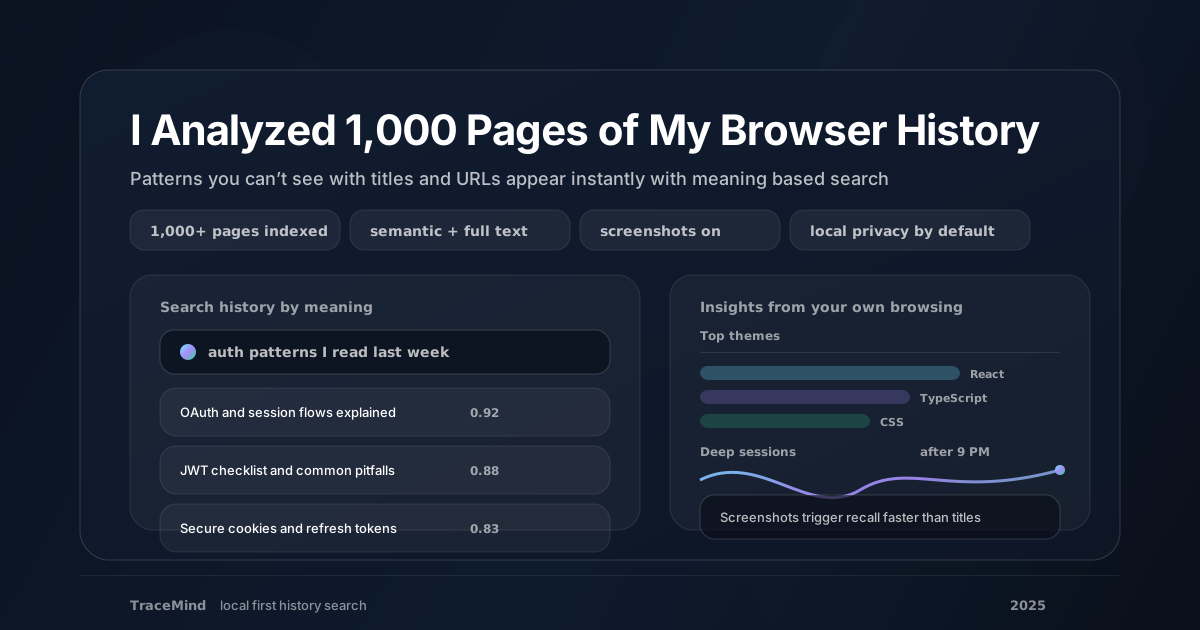
React patterns. TypeScript generics. CSS layout. Auth flows. Debugging weird edge cases.
I initially read this as being "stuck," but I think that framing is wrong. The problems keep coming back in new forms. The new issue is usually just a remix of an old one. Having a searchable record of how I solved it last time, or what sources helped, is genuinely valuable precisely because the underlying problem is recurring.
What this also revealed: I spend meaningful time in "research mode" on the same topics across multiple sessions, but because each session feels isolated from the previous one, I re-read things I had already found. TraceMind made the redundancy visible. That visibility is useful because it points to where my research process is inefficient.
2) Searching my own history became the default
Before TraceMind, my loop looked like this:
Open new tab → Google → skim → repeat
Now I search my own history first.
And honestly, a significant amount of the time, I've already found the best resource. I just couldn't retrieve it when I needed it.
That one perfect article is still there, indexed, waiting. The shift from Google-first to history-first changed my workflow more than any single feature. It is a default behavior change, not a feature discovery, and those are usually the highest-impact changes.
The practical test I ran: for one week, I noted every time I was about to Google something related to work. I first searched TraceMind, recorded whether I found what I needed, then Google'd anyway to compare. TraceMind had something relevant about 60% of the time. For topics I had been actively researching in the past month, that number was closer to 80%.
That is not a replacement for Google. It is a meaningful first stop that reduces the number of times I end up back at square one.
3) Meaning beats keywords, and it's not even close
Keyword search is fragile. You have to remember the phrasing.
Meaning-based search is the opposite. It finds the idea, even if you don't remember how it was worded.
When I search for authentication patterns, I don't just get pages that say those exact words. I get OAuth flows, JWT guides, session management posts, security checklists — the whole neighborhood.
The semantic distance between "authentication patterns" and "JSON Web Tokens" is small in embedding space even though the two phrases share no words. That's what all-MiniLM-L6-v2 captures: conceptual proximity rather than lexical overlap.
For browser history search specifically, this matters because you rarely remember the exact title or keywords of a page you visited weeks ago. You remember roughly what it was about. Semantic search meets you where your memory actually is.
TraceMind uses Reciprocal Rank Fusion to combine the semantic vector search with FlexSearch full-text search. So exact keyword matches still surface when you remember specific terms, but the results are supplemented by semantically related pages you might not have thought to search for explicitly.
If you want the technical explanation of how this works, the post on how vector embeddings work in your browser covers the embedding and retrieval pipeline in detail.
4) My domain list told two different stories
My top domains were predictable:
GitHub. Stack Overflow. Documentation sites.
But the real value was hiding in the long tail:
- tiny blogs with one perfect explanation
- obscure forum threads where someone solved exactly my problem
- one-off posts from developers writing about edge cases they hit
These are the pages that save you hours, and also the pages you'll probably never find again through Google.
Not because they're bad content. Because they're not optimized for search engines, not trending on social media, and not ranking in the top 10. They're just useful. And Google's first page increasingly does not surface them.
This is the part of my analysis I found most surprising. I assumed most of my value came from the top 5 or 10 domains. TraceMind's full-content search revealed that the most useful single pages I visited in the past six months were from domains that appeared only once in my history.
That long tail is what passive indexing captures that intentional bookmarking misses. You do not bookmark obscure forum threads in the moment. You read them, get the answer, move on. TraceMind means you can find them again.
5) My browsing comes in clusters
I don't browse evenly. I binge.
Time of day:
- After ~9 PM: deep technical reading, long focused sessions with multiple related pages
- Mornings: email, admin, news, shallow scrolling on social feeds
Topic cycles: I'll go hard on Docker for a week, then won't touch it for a month. Same with performance tuning, testing strategies, deployment tooling.
Learning happens in bursts, not as a constant drip. This is obvious in retrospect, but TraceMind made the burst pattern visible in a way that was striking. Two weeks of nothing on a topic, then 30 pages in 4 days, then nothing again.
The implication for retrieval: the pages I need to find are often from a specific burst a few months ago. Semantic search handles this well because I can describe the concept I was working on during that burst and surface the relevant pages, even without remembering specific dates or domains.
6) I spend more time on news and social than I want to admit
This was the uncomfortable part.
More of my history is social and news than I expected: Reddit threads, X profiles, Hacker News comment chains, news articles I do not remember reading.
None of that is bad on its own. Hacker News has sent me to some of the most useful technical content I've found. Reddit threads on specific programming problems are often better than Stack Overflow for nuanced questions.
But the ratio did not match the story I tell myself about how I spend my time. I assumed my browsing was 70% work-relevant. TraceMind's data suggested it was closer to 50%, with the other half being news, social, and content I could not clearly connect to any productive purpose.
That is not a judgment. It is just data. What I did with it: I used TraceMind's domain exclusion feature (free plan gives you 3 excluded domains) to exclude a couple of social platforms from indexing. The goal is not to pretend I do not visit them, but to keep the search index focused on content I might actually want to retrieve.
7) Screenshots beat titles for memory
I didn't expect this one.
TraceMind captures screenshots (320x240 on the free plan, 1920x1080 on Pro). When I'm scanning search results, I sometimes recognize a page from the thumbnail before I read the title.
- the dark-themed blog with the monospace code snippets
- the docs site with the unusual sidebar layout
- the Stack Overflow answer with the green checkmark and the long accepted answer
Visual memory is a real and underused retrieval signal. Text-only history search misses it entirely. The screenshot gives you a spatial and visual anchor for the memory that text alone does not provide.
The Pro plan's Offline Page Viewer goes further: it stores full HTML snapshots with sandboxed rendering, so you can read pages even after they go offline or change. Paywalled research articles, Stack Overflow threads that get deleted, documentation pages for deprecated library versions — all retrievable from the local snapshot.
8) Recency bias is ruthless
If you ask me what I read yesterday, I can usually name five or ten pages.
TraceMind showed me I visited closer to fifty.
Most of that disappears from conscious memory within hours. We are not built to store this much screen input in retrievable form, which is exactly why having a searchable record matters.
The recency bias problem compounds over time. Ask me what I read last month on a specific topic, and I might name two or three pages. My actual history shows fifteen or twenty. The ones I cannot recall consciously are not gone — they are indexed, searchable, and retrievable. But only with a tool that actually captured them.
This was probably the finding that changed my relationship to the extension most. It is not that I have a bad memory. It is that the volume of input is too high for memory to handle reliably. TraceMind is not augmenting my memory — it is providing a second system for the category of information that human memory was never equipped to handle at browser-scale volumes.
What changed for me
Three habits shifted almost immediately:
- I search my history before I search the web
- I use meaning-based queries instead of trying to remember exact titles
- I treat screenshots as first-class signals, not decoration
The bigger shift is attitudinal. I stopped treating my browsing as ephemeral and started treating it as a searchable knowledge base. That is a different relationship with the act of reading online.
If you want to run the same experiment on your own browsing, the requirement is simple: a tool that indexes full page content, supports meaning-based search, and keeps your data local.
Get Started
You don't have to wait to build up 1,000 pages from scratch. TraceMind's free Chrome History Import lets you import your existing browser history (titles and URLs) for immediate text-based search. Full semantic search becomes available as you revisit those pages.
If you want to understand the indexing architecture behind what TraceMind does with those 1,000+ pages, the post on building local-first AI with IndexedDB and WASM explains the storage and retrieval decisions in detail.