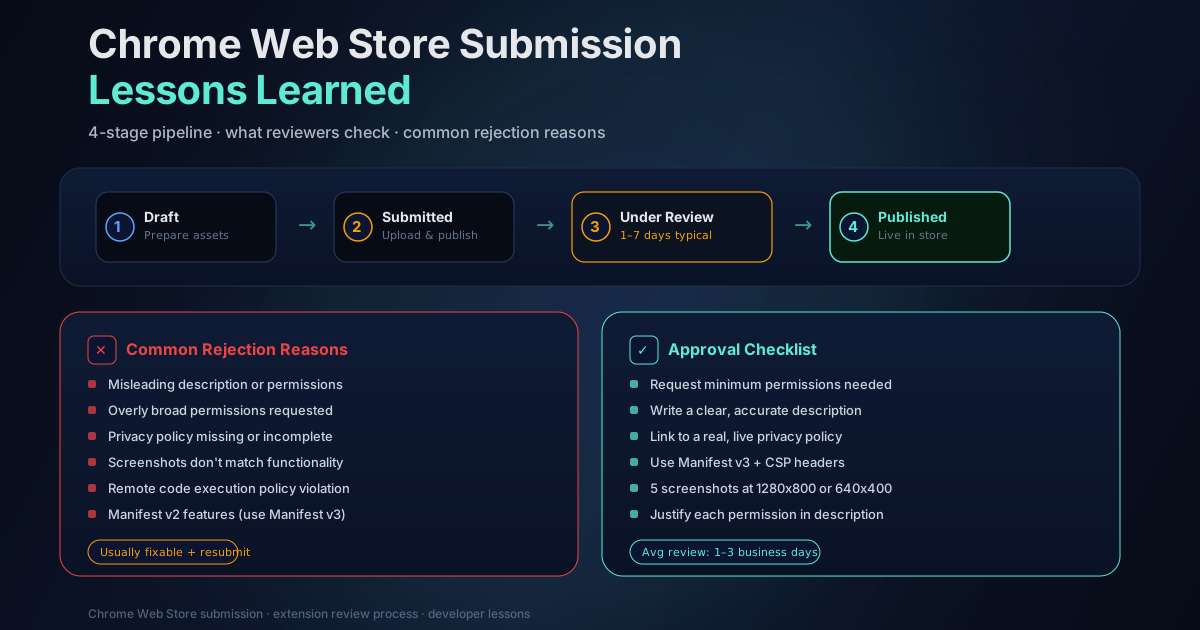
What I Learned Submitting to the Chrome Web Store
I thought publishing a Chrome extension would be the easy part. Build the thing, zip it up, upload it, done. Maybe a day or two of review and then it's live.
I was wrong about almost everything.
The Chrome Web Store review process is thorough, sometimes confusing, and occasionally maddening. Here's what I learned so that maybe you can avoid some of the same mistakes.
Permissions are where it starts to get complicated
Chrome extensions declare what they need access to, and reviewers scrutinize every permission. TraceMind needs access to browsing history and page content because it is a browser history tool. That logic is obvious to me. To a reviewer seeing thousands of extensions per week, many of them malicious, those permissions look suspicious.
I had to write detailed justifications for each permission explaining exactly why it was needed and how data is used. "This extension indexes browser history to enable search" seems self-explanatory, but you have to spell it out in full. You have to explain that the data stays local. You have to explain what happens to stored data when users uninstall. You have to anticipate every concern a skeptical reviewer might have and address it before they raise it.
The permissions TraceMind requests and why each is necessary:
- history: to access existing browser history entries when the extension first installs, so users can search past visits immediately
- tabs: to detect navigation events and capture page titles and URLs as you browse
- scripting + host permissions: to inject the content extractor that pulls readable text from visited pages using Mozilla Readability
- storage: to maintain the local IndexedDB index of indexed pages and embeddings
- offscreen: to run the embedding model in a background context without blocking the main thread
Each of these required its own written justification in the submission form. Vague answers like "needed for functionality" will get flagged. Specific answers explaining what data is accessed, how it is processed, and where it is stored are what reviewers want to see.
My first submission was rejected. Then my second one.
The rejection reason was vague: something about the extension not working as described. I tested everything, couldn't reproduce any issue, and resubmitted with a more detailed listing description. Rejected again, same reason.
Eventually I figured out what was happening. The extension was technically working fine. The reviewer wasn't seeing it work because they installed it and immediately tried to search, expecting results. There were no results because nothing had been indexed yet — you need to actually visit pages first before they appear in search.
To a reviewer spending two minutes with your extension, "no results in search" reads as "extension is broken." The onboarding experience had completely failed to communicate this fundamental constraint.
I added a loading state screen on first install explaining that TraceMind indexes pages as you browse them, that searching works once you have visited some pages, and showing a clear indicator of how many pages had been indexed so far. I also added placeholder text in the search interface that said something like "Search your browsing history — pages appear here as you visit them."
The next review passed.
This is the most important lesson: reviewers do not spend a long time with your extension. If anything is ambiguous during the first 90 seconds of use, you get rejected. The onboarding experience has to be bulletproof for someone who knows nothing about how your extension works and is actively looking for reasons to flag it.
Screenshots are doing more work than you think
You get several screenshot slots in your store listing. I initially treated these as an afterthought and put up quick captures showing the search interface with results. That was a mistake.
Good screenshots need to tell the whole story without any accompanying text. Someone browsing the store might look at only the first screenshot and nothing else. That one image needs to communicate: what the extension does, what problem it solves, and why someone would want it.
I ended up treating the screenshot set like a short visual narrative:
- The problem: Chrome's standard history search showing a frustrating list of URLs
- The solution: TraceMind's search interface with a natural language query and relevant results
- The detail: an indexed page showing full-text content that was captured
- The privacy angle: the local storage indicator showing nothing leaves the browser
This took nearly as long to get right as the initial icon work. Honestly, I think it contributed more to installs post-approval than the description text.
Icon sizes, promo images, and the things no tutorial mentions
You need icons in four sizes: 16x16, 48x48, 128x128, and a promo image at 440x280. They all need to look consistent and professional. At 16x16, a complex icon becomes an illegible smear. The icon design process for TraceMind involved creating something that communicated "search" and "history" at thumbnail size, which turned out to be genuinely hard.
If you're not a designer: hire one, or at minimum use a vector tool and test every size at actual pixel dimensions before submitting. A blurry or inconsistent icon signals unprofessionalism and can cause reviewers to look more skeptically at the rest of your submission.
The 440x280 promo image shows up in the featured sections of the store. Even if you're not expecting to be featured, it's required and you want it to look good.
The privacy policy requirement
This surprised me. TraceMind stores everything locally, sends nothing to any server, and has no backend at all. You'd think that means no privacy policy is needed. Wrong.
The Chrome Web Store requires a hosted privacy policy for any extension that handles browsing data or personal information — regardless of whether that data leaves the device. The policy for TraceMind is short because it essentially says "we collect nothing, store everything locally, never transmit anything, and deleting the extension removes all stored data." But that policy needs to exist at a public URL, and that URL needs to be submitted with your extension.
I also had to describe the data handling in the store listing itself: what data is collected, why it is collected, whether it is shared, and how users can request deletion. This information now lives on tracemind.app/features in addition to the privacy policy page.
Testing with a fresh profile changed everything
I had been testing TraceMind on my main browser profile where I had months of history, established habits, and familiarity with every aspect of the extension. My testing was thorough in every way except one: it never simulated what a new user would experience.
When I finally tested with a completely clean Chrome profile, I found several problems immediately:
- The search interface appeared empty with no explanation of what to do next
- There was no clear indication that pages needed to be visited before search would work
- The settings UI had options that were confusing without context about what they controlled
- The initial indexing prompt appeared in a way that could easily be missed
All of these were things I had been blind to because I already knew how the extension worked. New users and reviewers don't have that context. Testing in a fresh profile is now a mandatory step before any submission.
Handling Manifest V3
TraceMind was built on Manifest V3 from the start, which is now required for new extensions anyway. MV3 introduced some real constraints compared to MV2, particularly around background scripts. MV3 uses service workers instead of persistent background pages, which means your background context can be terminated at any time.
For an extension that needs to consistently capture page visits, this required careful design. TraceMind handles this by keeping the indexing logic in content scripts that run in the page context, with the service worker handling communication and storage coordination. When the service worker wakes up to handle a message from a content script, the necessary state is reconstructed from storage rather than held in memory.
The MV3 transition also meant changes to the declarativeNetRequest API, which TraceMind doesn't use directly, but the general architectural shift toward more restricted permissions aligned well with the privacy-first design approach.
Updates are easier, but still reviewed
After initial approval, updates go through a shorter review process. Changes to the extension code get reviewed, but the turnaround is typically faster than the initial submission. The exception: any change to declared permissions triggers a more thorough review and often a longer wait.
I learned to batch updates for this reason. Pushing five small fixes in five separate submissions means five review cycles. Grouping them into a single release means one. I track changes in a staging branch and ship them together unless something is a genuine bug that affects users right now.
The one case where I ship immediately: security-related fixes. If there's any issue that could affect user data or privacy, it gets its own submission regardless of what else is in the queue.
Why the process is actually reasonable
I was frustrated during the rejections. I understood my own extension, knew it was legitimate, and couldn't see why the review process was so slow and opaque. Stepping back, though: the Chrome Web Store has a serious malware and spyware problem. Extensions with history and tabs permissions are exactly the type that bad actors build to harvest browsing data.
Reviewers see thousands of submissions. Most of the ones requesting sensitive permissions are not legitimate tools. The friction that exists in the review process is there because the alternative — letting anything through — would be significantly worse for users. TraceMind asks for exactly the kind of permissions that would appear in a data-harvesting extension, and the fact that it's local-only and privacy-first doesn't change how those permissions look on paper.
The lesson: design your extension assuming reviewers will be skeptical of your most sensitive permissions. Make the legitimate use case so clear and well-documented that skepticism can't find a foothold.
What I would do differently
A few things I'd change if I were starting over:
Write permission justifications first, before anything else. The exercise of explaining why each permission is necessary forces you to think carefully about whether you actually need it. If I can't write a convincing justification, I probably shouldn't request the permission.
Build a first-run experience as a first-class feature. I treated onboarding as an afterthought and paid for it in rejections. The experience for someone installing the extension with zero knowledge should be a specific design requirement, not something patched in after problems emerge.
Test in a fresh profile every time. I now maintain a dedicated clean Chrome profile used only for testing. It never has any extensions installed by default and I reset it before each test session.
Set conservative launch expectations. I planned an announcement assuming the review would take 48 hours. It took 11 days across the initial rejections and final approval. If you are coordinating a launch around extension approval, budget for delays.
The extension is now live at the Chrome Web Store and also works in Brave and Edge. If you are building something similar or want to understand how TraceMind handles the browser history problem differently from simpler tools, the feature overview covers the technical approach in more detail.
About the Author
I build browser extensions and web applications. Reach me on Twitter.